Generating tests
Don't hand-write locators, pick them. taqwright codegen is a browser-based device viewer that ranks candidate selectors against the live screen and, with recording on, emits a runnable spec as you drive the app.
Codegen
Codegen is a browser-based device viewer, locator picker, and recorder. Run:
npx taqwright codegen
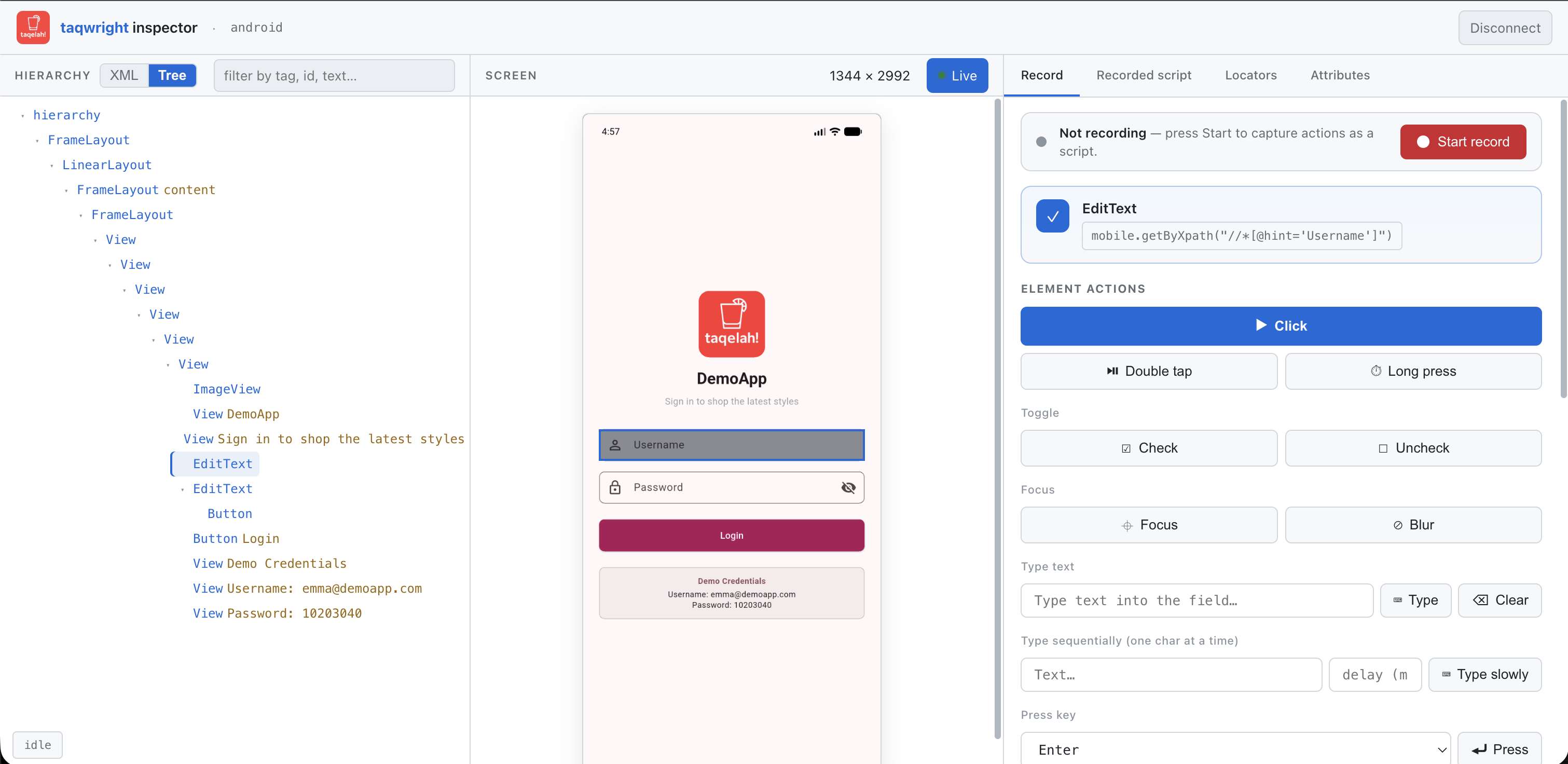
It boots a local server (default port 5274) and opens your browser. From codegen you can:
- Connect to a device: local Appium (codegen will spawn Appium if nothing is listening) or a cloud provider (BrowserStack, LambdaTest).
- Pick a locator: tap any element on the live screen. Codegen verifies multiple candidate locators against the device and ranks them by uniqueness and stability. Non-unique candidates get auto-suffixed with
.nth(i)so you always get a unique selector. - Drive the device: click, double-tap, long press, fill, swipe, scroll, pinch, drag, hardware buttons, check/uncheck, focus/blur, press, selectOption.
- Assert: visible / hidden / enabled / checked / text / value / count / attribute / editable / focused / empty / inViewport / attached. Each assertion verifies on the live device first; if it would fail, you get a "Record anyway?" prompt.
With recording on (the default), every action you perform appends a line of taqwright source to the generated spec. The emitted file is a full import { test, expect } from '@taqwright/taqwright'; test('recorded test', …) spec, drop it under tests/ and npx taqwright test runs it as-is.
Debug a live test
Drop await mobile.pause() mid-test. When the test hits that line, codegen attaches to the running WebDriver session (no new Appium boot), opens in your browser, and the test resumes when you click Resume in the UI. Set PWDEBUG=0 to make pause() a no-op in CI without removing it.
This is the interactive counterpart to post-mortem tracing, pause when you want to poke at a stuck step by hand, trace when you want the whole timeline after the fact.